Optimization Tips for OG Title and Description Tags
How to optimize your OG title and description tags to get more clicks and engagement.
og:title and og:description are the two most important Open Graph tags. They decide whether someone clicks after seeing your link in a feed. Small details here compound into real traffic.
Here’s how to optimize them properly.
1. Treat Them as Ad Copy, Not SEO Metadata
These tags are not for search engines. They’re for humans scrolling fast.
- Write benefit-first, not keyword-first.
- Avoid repeating your
<title>and meta description verbatim. - Ask: “Would I click this if I saw it cold?”
Bad:
A Complete Guide to HTTP Status Codes
Better:
HTTP Status Codes Explained with Real-World Examples
2. Keep Them Short (Platforms Truncate Aggressively)
Most platforms cut text earlier than you expect.
Safe limits:
og:title: 40–60 charactersog:description: 90–140 characters
Anything longer risks being chopped mid-thought, which kills clarity.
3. Make Title and Description Complement Each Other
Don’t restate the same idea twice.
- Title: hook and context
- Description: detail or payoff
Example:
og:title: Why Open Graph Images Break on Twitterog:description: Common pitfalls, caching issues, and how to reliably debug broken previews.
4. Avoid Brand Prefixes (Unless You’re Famous)
This is wasted space for most products and blogs.
Bad:
OpenGraphDebug.com – Open Graph Debugging Tool
Better:
Debug Open Graph Issues in Seconds
If your brand matters, put it at the end and only if space allows.
5. Match Intent, Not Page Structure
Your H1 might be correct. Your OG title might need to be different.
- Blog post → curiosity-driven
- Tool page → outcome-driven
- Docs → clarity-driven
Same page, different framing.
6. Never Leave Them Empty (Fallbacks Are Worse)
If you don’t set them:
- Platforms guess.
- Guesses are often wrong.
- Wrong previews kill trust instantly.
Always explicitly define both tags, even for internal or “boring” pages.s
7. Use a Tool to Validate Your Open Graph Tags
Use a tool to validate your Open Graph tags. OpenGraphDebug is one of the best tools that will help you validate your Open Graph tags, make sure they are set up correctly and preview social media cards for your websites.
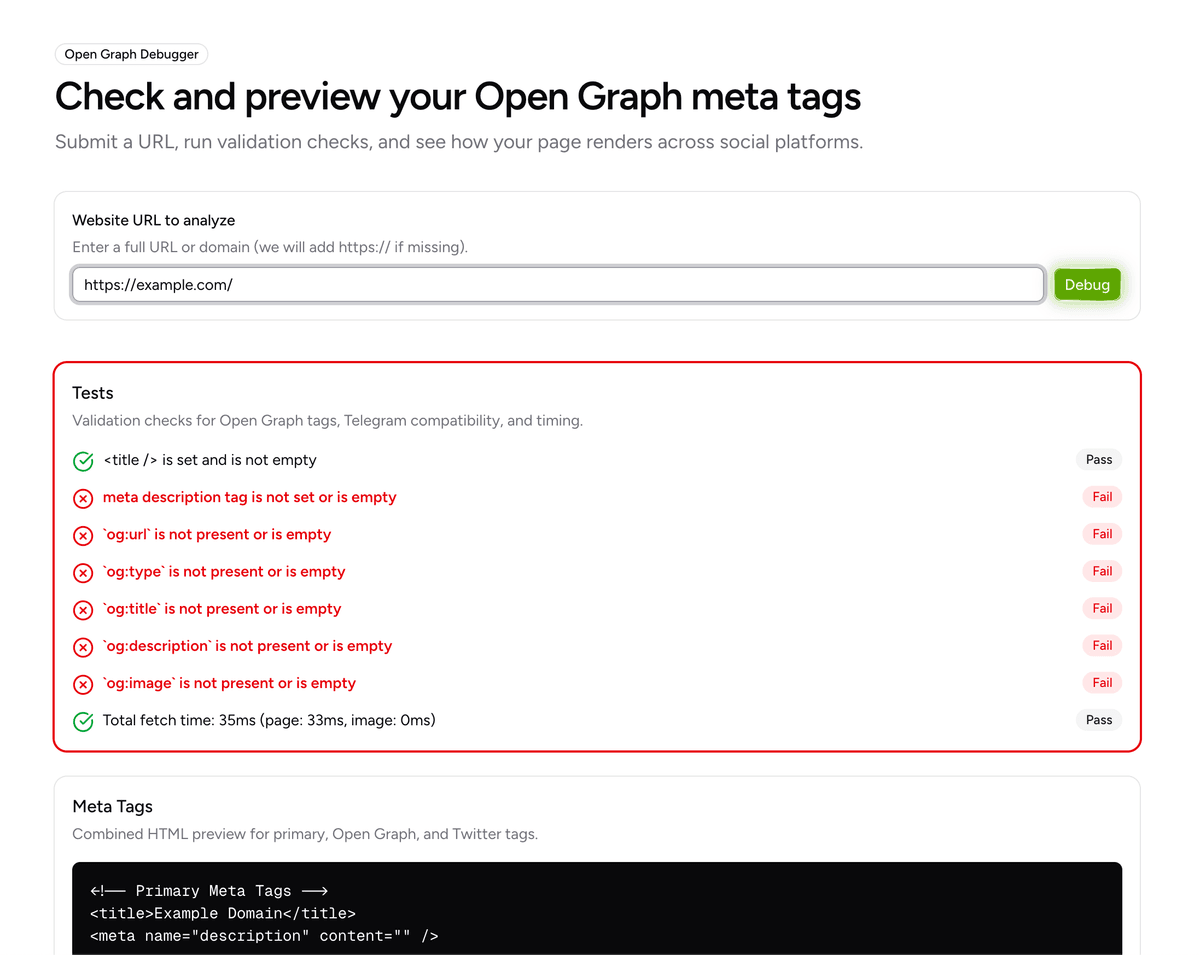
8. Test in Real Feed Previews
Do not trust static validators alone.
- Some platforms cache aggressively.
- Some ignore updates for hours or days.
- Some truncate differently on mobile vs desktop.
Always test where your users actually share.
Bottom Line
og:title and og:description are not decoration.
They are distribution levers.
If you spend hours writing content but minutes on these two lines, you’re sabotaging your own reach.